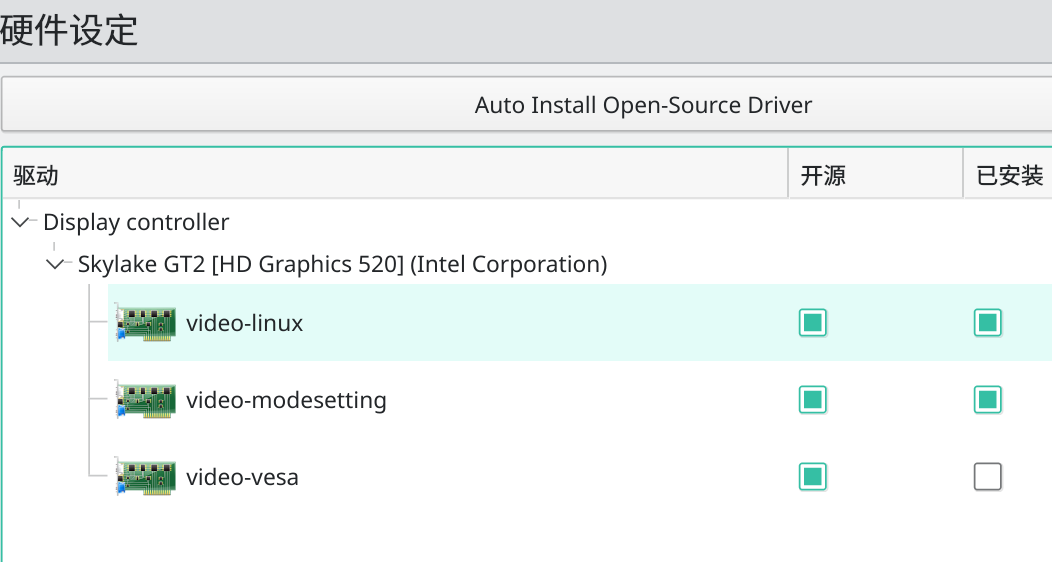
手贱安装video-vesa重启后启动卡在/dev/nvme0n1: clean, xx files,xx blocks的解决办法 2021-10-02 16:00 | 647 | 0 | 其他,技术宅 85 字 | 1 分钟内 接上一篇文章,闲着没事在设置里装上了video-vesa的驱动,重启后打不开了 解决 按ctrl+alt+f3,进命令行,登陆账户 列一下现在安装了啥显卡驱动 $ mhwd -l > 0000:00:02.0 (0300:8086:1916) Display controller Intel Corporation: ------------… Linuxmanjarovideo-vesa